 Serving Ventura and LA County
 Years of Experience
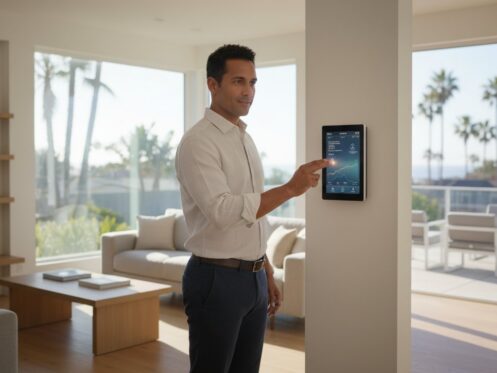
Is your high-tech HVAC system actually working against your monthly budget because of a single mismanaged setting? It’s frustrating to invest in premium equipment only to struggle with dropped WiFi connections or menus that feel more like puzzles than tools. You want a home that stays cool during a Southern California heatwave without the dread of a surging electricity bill. Mastering the interface and programming a trane smart thermostat correctly is the first step in a professional-grade maintenance strategy that prevents system strain and reduces energy waste.
This guide provides the technical precision you need to reclaim control over your home’s climate. By optimizing your schedule, you can target the 8 percent energy savings typical of certified smart units while ensuring compliance with the 2026 California Title 24 standards. We will walk through the redesigned May 2026 Trane Home app, troubleshoot common connectivity hurdles, and show you how to automate transitions for a more efficient, reliable home. This methodical approach ensures your system operates safely and effectively throughout the year.
Key Takeaways
- Navigate high-definition touchscreen interfaces on XL824, XL850, and XL1050 models to establish precise control over your indoor environment.
- Master the sequence for programming a trane smart thermostat to create custom weekly schedules that reduce unnecessary mechanical strain.
- Leverage 1-touch presets and the Trane Home app to maintain remote oversight and adjust settings for unexpected schedule changes.
- Implement specific adjustments for the Southern California climate, addressing coastal humidity in Hermosa Beach and thermal demands in Torrance.
- Recognize when “Not Cooling” alerts or short cycling require a professional evaluation to protect your system’s longevity and safety.
Understanding Your Trane Smart Thermostat Interface
A Trane smart thermostat acts as the command center for your entire HVAC system. It is much more than a simple temperature dial; it is a precision instrument designed to balance mechanical longevity with environmental comfort. To understand the value of this technology, it helps to define what a smart thermostat is in a modern context: a device that uses Wi-Fi and advanced sensors to automate climate control based on your specific lifestyle. Models like the XL824, XL850, and XL1050 feature high-definition color touchscreens that provide real-time data at a glance. While the physical interface is intuitive, successfully programming a trane smart thermostat requires an understanding of how these data points interact.
On the primary home screen, you will find three critical indicators: the current indoor temperature, the relative humidity level, and the active system status. These icons tell you if your system is cooling, heating, or remaining idle. These units also function as a Z-Wave bridge. This technical feature allows the thermostat to serve as a hub for other smart home devices, such as connected lighting or door locks. By integrating these systems, you create a cohesive environment where your HVAC system can eventually respond to broader home occupancy patterns, reducing waste when rooms are empty.
The Difference Between Manual and Smart Modes
Choosing the right operating mode is essential for cost management. Many homeowners mistakenly use the “Permanent Hold” setting, which is essentially a manual override that ignores all programmed logic. This is often the most expensive way to run your system because it prevents the thermostat from making energy-saving adjustments while you are away. In contrast, the “Auto” mode is highly effective for the fluctuating weather patterns seen in the Los Angeles basin. It allows the system to switch between heating and cooling automatically to maintain a specific comfort range. To verify that your energy-saving settings are active, always look for the “Run Schedule” icon on the main screen. If it isn’t visible, the system is likely stuck in a manual hold.
Navigating the Menu and Settings
The Menu button provides access to deeper system health and customization options. Within these screens, you can locate the technician contact info, which is a vital resource for scheduling your annual residential HVAC inspection or addressing a sudden mechanical failure. The “Schedules and Presets” menu is the primary area where you will define your daily routine. For households with children or in commercial settings, the lock feature provides a necessary layer of security. This prevents unauthorized temperature changes that could lead to unexpected mechanical strain or a spike in your monthly utility costs.
Step-by-Step: How to Program a Custom Schedule
To begin the process of programming a trane smart thermostat, you must first access the primary control menu. Tap “Menu” on the home screen, then navigate to “Schedules & Presets” and select “Custom Schedule.” This path allows you to bypass generic presets and tailor the system to your family’s actual movements. You will be prompted to select specific days of the week. Most homeowners find success grouping Monday through Friday together, while keeping Saturday and Sunday as a separate block to accommodate weekend relaxation. This grouping ensures that your HVAC system isn’t cooling an empty house during the workweek.
The Trane interface utilizes four primary time periods to manage your home’s thermal load efficiently:
- Wake: The temperature you prefer as you start your day and prepare for work.
- Away: An energy-saving setpoint used while the home is unoccupied during the day.
- Home: Your standard comfort level for evening activities and dinner.
- Sleep: A setting optimized for overnight rest, often slightly cooler in winter or warmer in summer.
Once you have adjusted the heating and cooling setpoints for each of these periods, press “Save.” It is vital to return to the home screen and verify that the “Run Schedule” prompt is visible. If the screen displays “Permanent Hold,” the system will ignore your new instructions and run indefinitely at a single temperature, which often leads to higher utility costs.
Optimizing Temperature Setpoints for Savings
In Southern California, managing the “4-degree rule” is critical for long-term system health. We recommend setting your thermostat to 78°F in the summer and 68°F in the winter. While it’s tempting to set a very low temperature during a Los Angeles heatwave, extreme differentials force your compressor to work at maximum capacity for extended periods. This increases the risk of mechanical failure. By following these guidelines and setting your thermostat back 7 to 10 degrees for eight hours a day, you can save as much as 10% a year on cooling and heating costs. If you find a perfect daily balance, use the “Copy” function to replicate that schedule across other days. If your system seems to struggle even with these logical settings, a residential HVAC inspection can verify if your ductwork or refrigerant levels are the true cause of the inefficiency.
Using Guided Scheduling for Beginners
If the manual process feels overwhelming, the on-screen wizard offers a simplified alternative. This tool asks a series of lifestyle questions about when you typically leave for work and when you return. The Trane algorithm can even suggest a baseline schedule based on your specific zip code, accounting for local climate averages. After the wizard generates a schedule, you can fine-tune individual setpoints to ensure the output matches your personal comfort needs. This automated approach ensures that programming a trane smart thermostat remains a straightforward task for every homeowner.
Maximizing Efficiency with 1-Touch Presets and Mobile Apps
While a custom schedule provides a baseline for your home, life rarely follows a perfectly linear path. Programming a trane smart thermostat for real-world scenarios involves using 1-touch presets and the updated Trane Home app. In May 2026, the app underwent a significant redesign to version 8.13.0, which streamlined how homeowners interact with their HVAC systems remotely. This update allows for faster transitions between modes, ensuring you never leave the air conditioning running at full capacity while you are stuck in South Bay traffic. By leveraging these digital tools, you can maintain a professional-grade level of oversight over your property’s energy consumption from any location.
Geofencing is perhaps the most advanced tool for modern efficiency. By creating a digital perimeter around your property, the Trane Home app detects when your smartphone crosses a specific boundary. As you leave the South Bay area, the system automatically adjusts to your “Away” setpoint. Conversely, it begins pre-cooling the house as you head home. You arrive to a comfortable environment without running the compressor all day. Monthly energy reports provide the final layer of oversight. These documents offer a factual assessment of your usage patterns and identify where further programming tweaks could lead to significant cost savings.
Setting Up 1-Touch Presets
Presets are pre-configured overrides for Home, Away, and Sleep modes. They are essential for those “unexpected trip” moments when your standard schedule doesn’t apply. If you leave the house for a quick errand, hitting the “Away” button immediately shifts the system to a more efficient state. To ensure you don’t forget to revert these settings, use the “Return to Schedule” timer. This feature automatically resumes your programmed logic after a set duration, such as four hours. For longer absences, such as a remote camping trip planned through Adventurerz, “Vacation Mode” is the most secure choice. It maintains a safe temperature range to protect indoor air quality and prevent mechanical stagnation without consuming unnecessary power.
Z-Wave and Smart Home Integration
The XL850 and XL1050 models serve as central hubs for Z-Wave technology. This allows you to link smart door locks or lighting directly to your thermostat. For example, locking your front door could trigger the “Away” preset on your HVAC system. In multi-story Los Angeles homes, smart sensors are invaluable. These devices allow the thermostat to prioritize cooling in upstairs bedrooms during the night while ignoring the downstairs living area. Aligning these settings with U.S. Department of Energy recommendations ensures your home remains efficient regardless of which room you occupy. You can even use voice commands with Alexa or Google Home for hands-free adjustments when your hands are full.
Optimizing Your Program for the Los Angeles Climate
Los Angeles homeowners must account for extreme microclimates when programming a trane smart thermostat. While a resident in Hermosa Beach may struggle with heavy morning fog and high humidity, someone just a few miles inland in Torrance faces intense afternoon heat. This geographic variation requires a more nuanced approach than a standard factory preset can provide. A one-size-fits-all schedule often fails to address the specific thermal loads placed on a system by our unique regional weather patterns. By adjusting your settings to reflect your specific zip code, you protect your equipment from unnecessary mechanical strain.
In the early hours, coastal homes often experience the “Morning Dew” effect. Moisture clings to the exterior and can lead to a stagnant, damp feeling indoors. Instead of running the full cooling cycle, set your fan to “Circulate” for at least 15 to 20 minutes every hour. This keeps air moving through your filtration system without unnecessarily engaging the compressor. Additionally, during Santa Ana wind events, air quality drops significantly as dust and particulates increase. It’s often safer to program the system to remain off during the peak of the wind event. This prevents the unit from drawing in excessive debris that can clog your filters and reduce heat exchanger efficiency.
Humidity Control in Beach Cities
For those living near the water, managing air quality in Hermosa Beach requires active humidity control. Trane thermostats feature a dedicated “Dehumidification” setting that is essential for coastal IAQ. This mode slows the blower fan speed during the cooling cycle, allowing the evaporator coil more time to pull moisture from the air. Maintaining indoor humidity below 50 percent is a critical step in preventing mold growth and protecting the structural integrity of your property. Setting the fan to “Circulate” ensures that even when the compressor isn’t active, the air remains fresh and filtered.
Handling LA Heatwaves
When an LA heatwave hits, the most effective strategy is pre-cooling. Use your thermostat to drop the temperature by three degrees at 11:00 AM, well before the 2:00 PM peak electricity rates and the highest external temperature spikes. This builds a “thermal reservoir” in your home. Avoid the common mistake of “cranking it down” to 60°F when you return from work. This does not cool the house faster. Instead, it often leads to a catastrophic compressor failure due to overexertion in extreme heat. You should also set high-temperature alerts via the Trane Home app. This provides a safety net for pets and sensitive electronics if the system fails while you are away. If your home struggles to maintain these setpoints during a heatwave, it is time for a professional residential HVAC inspection to identify potential refrigerant leaks or ductwork issues.
When Programming Isn’t Enough: Professional Inspections and Upgrades
Even with a meticulous approach to programming a trane smart thermostat, digital logic cannot overcome mechanical failure. If you notice your system turning on and off in rapid succession, a behavior known as short cycling, the issue is likely a safety switch or a failing component rather than a schedule error. This rapid cycling places immense stress on the compressor and can lead to a total system shutdown during a peak Los Angeles heat event. Similarly, a “Not Cooling” alert on your high-definition screen is an urgent signal that the thermostat is sending a call for cold air that the mechanical system cannot fulfill. These scenarios require a factual assessment to determine the root cause before a minor glitch becomes a catastrophic failure.
A professional HVAC inspection in Los Angeles serves as a vital diagnostic step. It validates whether your thermostat is calibrated correctly or if your HVAC unit is simply reaching the end of its operational lifespan. In cases where an aging system can no longer meet the demands of modern smart logic, upgrading to a high-efficiency AC installation may be the only way to achieve the cost savings and comfort levels discussed in this guide. Modern systems are designed to communicate seamlessly with smart interfaces, providing a level of precision that older, single-stage units cannot match.
Signs of a Mechanical Issue vs. a Programming Error
If your thermostat screen goes blank, it’s often a simple battery issue or a tripped float switch in your condensate line. However, temperature discrepancies are more complex. If your Trane interface indicates 72 degrees but the room feels like 80, you’re likely dealing with “ghost readings.” This often occurs when the thermostat is placed near a draft or if leaking ductwork is pulling unconditioned air from the attic into the wall cavity. Successfully programming a trane smart thermostat cannot fix poor insulation or holes in your delivery system. These physical defects require repair to restore the integrity of your home’s thermal envelope.
The Value of an Independent Inspection
At HVAC Inspections Los Angeles, we provide objective, third-party evaluations that aren’t a pretext for selling repairs. We verify that your Trane system is delivering the exact efficiency promised by its technical specifications. This neutrality is especially critical during real estate transactions. A certified HVAC safety report provides transactional preparedness, ensuring both buyers and sellers have a factual record of the system’s health. This methodical evaluation ensures your investment in smart technology is supported by a robust and safe mechanical foundation, protecting your property’s value and your family’s comfort.
Securing Your Home’s Long-Term Thermal Efficiency
Mastering the interface and programming a trane smart thermostat is a critical step toward a more sustainable and cost-effective household. By leveraging the 2026 Trane Home app updates and tailoring your schedule to the specific humidity of Hermosa Beach or the heat of Torrance, you ensure your HVAC system operates within its intended technical parameters. However, software logic is only as effective as the mechanical system it controls. If your unit struggles to maintain setpoints despite proper programming, an underlying physical defect may be the cause.
As a Mitsubishi Ductless Elite Dealer serving the South Bay and LA since 2004, we specialize in providing neutral, third-party Real Estate and Insurance Inspections. We deliver the factual data you need to verify system health and transactional readiness without the pressure of a sales pitch. Schedule a Professional HVAC Inspection with the Los Angeles Experts Today to confirm your equipment is ready for the demands of the upcoming season. Protecting your property investment starts with accurate data and professional oversight.
Frequently Asked Questions
Why is my Trane thermostat not following the schedule I set?
Your thermostat is likely stuck in “Permanent Hold” mode, which overrides all programmed instructions until it is manually released. Check the primary home screen for the “Run Schedule” icon. If this icon is missing, the system is ignoring your custom logic. Simply tap the hold button to deactivate the manual override. This allows the system to resume the specific cooling and heating blocks you established for your daily routine.
How do I reconnect my Trane thermostat to WiFi after a power outage?
Most units reconnect automatically, but you can initiate a manual reconnection by navigating to Menu, then Settings, and finally Wireless. Select your specific home network and re-enter your security credentials if the system prompts you. If the connection remains unstable, power cycle your router and wait five minutes before trying again. A consistent connection is required to receive energy usage reports and maintain remote access via your smartphone.
What is the best temperature to set for an empty house in Los Angeles?
We recommend a setpoint of 85°F in the summer and 60°F in the winter for an unoccupied Los Angeles home. These settings prevent the HVAC system from running unnecessarily while still protecting your property from extreme thermal stress. Maintaining this balance is especially important in coastal microclimates. It ensures that indoor humidity does not rise to levels that encourage mold growth or damage sensitive interior finishes while you are away.
How often should I change the batteries in my Trane smart thermostat?
Most modern Trane smart models are hardwired via a C-wire and do not rely on batteries for their primary power source. However, if your specific model utilizes a battery backup for the internal clock and memory, you should replace the cells once every twelve months. Using high-quality lithium or alkaline batteries prevents the loss of your custom settings during a local power grid failure. Regular replacement ensures your system logic remains intact.
Can I control my Trane thermostat with my Apple Watch or iPhone?
What does “Wait” or “Cool On” flashing mean on my Trane screen?
A flashing “Wait” or “Cool On” message indicates that the system’s internal short-cycle timer is active to protect the compressor. This safety feature prevents the cooling unit from restarting too quickly after a power interruption or a sudden temperature change. The delay typically lasts five minutes. If the signal continues to flash for a longer period, it may indicate a mechanical fault that requires a professional evaluation of the outdoor condenser.
Does a smart thermostat really save money on Los Angeles utility bills?
Homeowners can save an average of 8 percent on their annual heating and cooling costs by correctly programming a trane smart thermostat. In the Southern California region, this typically results in a bill reduction of $50 or more per year. These savings are achieved by following U.S. Department of Energy guidelines, such as setting the temperature back 7 to 10 degrees for eight hours a day while the home is empty.
How do I reset my Trane thermostat to factory settings?
To perform a factory reset, navigate to Menu, then Settings, and select the Service menu to find the Technician Settings option. From there, you can select “Proceed” to wipe all stored data and return the device to its original state. This action deletes all custom schedules, Z-Wave pairings, and Wi-Fi credentials. This step is usually reserved for real estate transactions when the property is changing ownership or during a major system reconfiguration.